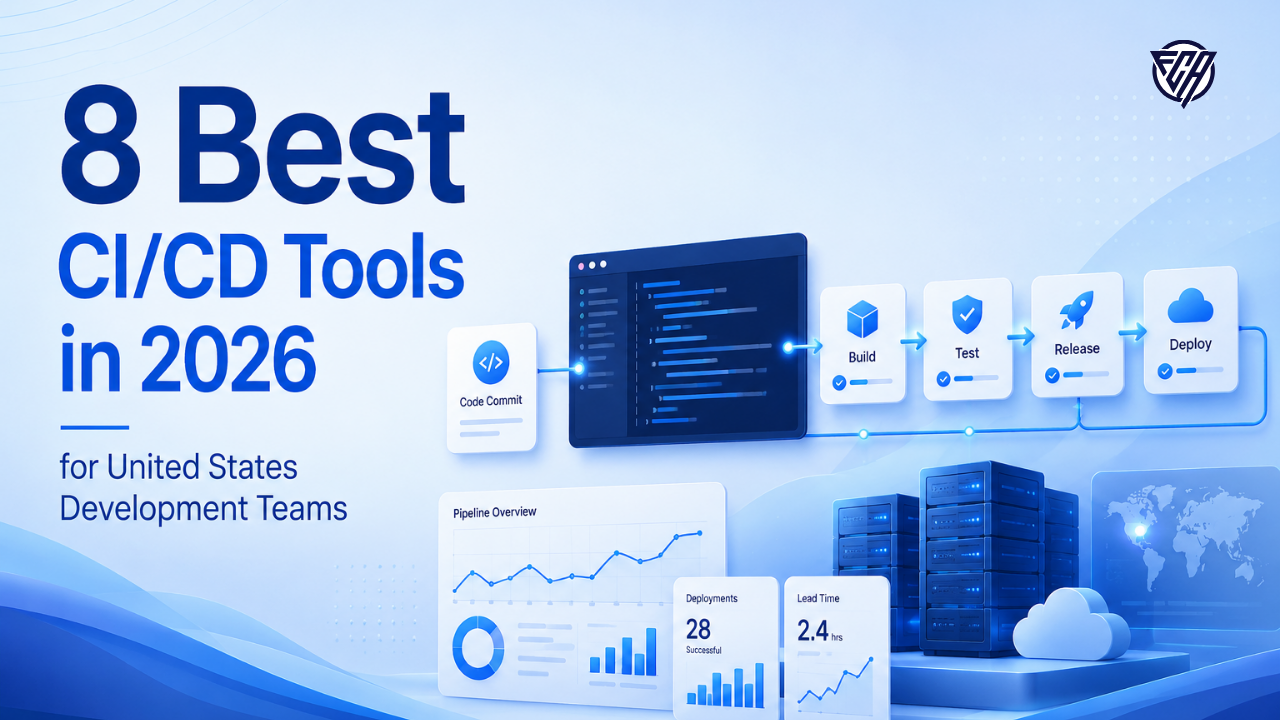
CI/CD tooling sits between source control and production, so small workflow choices can affect every release. The right platform should run tests reliably, manage secrets safely, scale runners without excessive cost and make failed builds easy to diagnose. Teams following the deployment concepts in FCA’s full stack developer roadmap or full stack syllabus will recognize that pipeline automation becomes more important as projects add containers, cloud infrastructure and several environments.
Current US search results group the market into repository native CI, independent hosted platforms, self hosted automation servers and delivery systems. That is a better way to compare the category than ranking every tool on one generic score. GitHub Actions and GitLab CI/CD are natural for teams that already live in their respective repositories. CircleCI and Buildkite provide independent CI control. Jenkins remains valuable when teams need maximum extensibility. Harness, Azure DevOps and Bitbucket Pipelines fit particular enterprise and platform ecosystems.
This comparison focuses on developer experience, runner model, security controls, deployment flexibility, ecosystem fit and current pricing.
- The shortlist is built for best CI/CD tools intent in the United States.
- Each tool is matched to a specific workflow instead of receiving an artificial universal score.
- Public pricing is sourced from official vendor pages and custom pricing is labeled rather than estimated.
- A proof of concept with real workloads is more useful than choosing from feature counts alone.
Best options at a glance
| Tool | Best for | Starting price or model | Main consideration |
|---|---|---|---|
| GitHub Actions | Teams whose code already lives on GitHub | Free allowance includes 2,000 minutes monthly on GitHub Free, paid runner usage is metered | Complex organizations can accumulate large workflow files and third party action dependencies. Runner cost and security policies should be reviewed before scaling to hundreds of repositories. |
| GitLab CI/CD | Teams using GitLab as a single DevSecOps platform | Free tier available, Premium about $29 per user monthly annually, Ultimate custom | The strongest value appears when the organization already uses GitLab broadly. Teams committed to GitHub or another repository may prefer a repository neutral CI service. |
| CircleCI | Hosted CI with strong configuration and caching | Free plan available, Performance starts around $15 monthly | Credit based usage can require cost monitoring, especially for large teams with many concurrent workflows or resource intensive jobs. |
| Buildkite | Engineering teams that want control of build infrastructure | Personal free, Pro about $30 per active user monthly, enterprise custom | The operational model assumes the team is comfortable managing agents and build infrastructure. Smaller teams may prefer fully hosted runners. |
| Jenkins | Organizations that need maximum extensibility and self hosting | Free open source, infrastructure and maintenance costs are separate | Maintenance, plugin compatibility, upgrades and security hardening create real operational cost. New teams should compare that effort with managed alternatives before choosing Jenkins by default. |
| Harness CI | Organizations that want CI connected to broader delivery governance | Free plan available, higher tiers use custom pricing | The product family is broad and enterprise pricing is quote based. Teams seeking only simple CI may find a repository native option easier. |
| Azure DevOps Pipelines | Microsoft and Azure centered engineering organizations | First five Basic users free, then about $6 per user monthly, hosted parallel jobs about $40 monthly | The interface and licensing are broader than a standalone CI product. GitHub centered teams may find GitHub Actions simpler for new projects. |
| Bitbucket Pipelines | Atlassian teams using Bitbucket and Jira | Free up to five users, Standard about $3.65 per user monthly, Premium about $7.25 | The ecosystem is smaller than GitHub Actions and the tool is less compelling when source code is hosted elsewhere. |
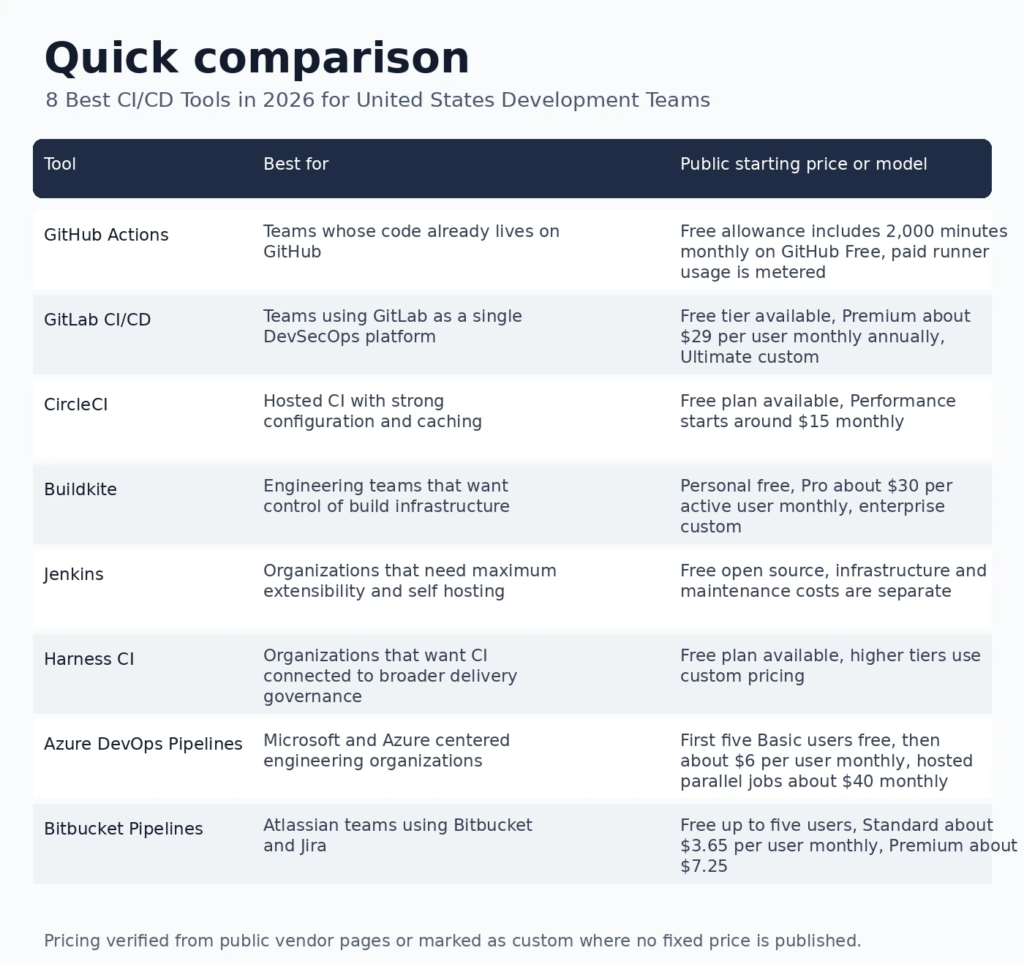
Infographic: Best options at a glance
How we evaluated these tools
The review started with current ranking pages and the FCA launch queue, which specifically recommends separating repository native CI, independent CI, deployment platforms and GitOps concepts. Product capabilities and prices were then checked against official vendor pages.
Security received extra weight because a delivery pipeline handles source code, credentials, packages and release artifacts. NIST guidance on software supply chain security in CI/CD pipelines recommends integrating software supply chain safeguards into the pipeline rather than treating security as a separate final step. The broader NIST DevSecOps practice guide also describes continuous build, integration, delivery, deployment and monitoring as connected stages.
For supporting FCA context, see the full stack web development roadmap and developer course syllabus for how testing, Git, APIs, containers and deployment fit together.
1. GitHub Actions
Best for: Teams whose code already lives on GitHub
GitHub Actions is the easiest CI choice for many GitHub repositories because workflows, pull requests, permissions and marketplace actions live in one place. It supports Linux, Windows and macOS runners, reusable workflows, environments and a large action ecosystem.
Why it stands out
- Native integration with GitHub pull requests and repositories
- Large marketplace and reusable workflow ecosystem
- Hosted and self hosted runner choices
- Public repository Actions usage remains free under current terms
Pricing
Free allowance includes 2,000 minutes monthly on GitHub Free, paid runner usage is metered. Confirm the current quote or calculator before purchase because usage and plan terms can change.
Limitations to consider
Complex organizations can accumulate large workflow files and third party action dependencies. Runner cost and security policies should be reviewed before scaling to hundreds of repositories.
2. GitLab CI/CD
Best for: Teams using GitLab as a single DevSecOps platform
GitLab CI/CD is tightly integrated with source control, merge requests, registries, security scanning and deployment features. It is compelling for teams that want fewer separate DevOps tools and are comfortable standardizing around GitLab.
Why it stands out
- Native pipelines, registries and merge request checks
- Hosted and self managed runner support
- Strong integration with GitLab security capabilities
- Useful for organizations standardizing on one DevSecOps platform
Pricing
Free tier available, Premium about $29 per user monthly annually, Ultimate custom. Confirm the current quote or calculator before purchase because usage and plan terms can change.
Limitations to consider
The strongest value appears when the organization already uses GitLab broadly. Teams committed to GitHub or another repository may prefer a repository neutral CI service.
3. CircleCI
Best for: Hosted CI with strong configuration and caching
CircleCI is a mature independent CI service with flexible configuration, caching, test splitting and multiple execution environments. It is useful when a team wants strong CI features without tying the workflow to one source control vendor.
Why it stands out
- Good caching and test optimization capabilities
- Cloud and self hosted runner options
- Mature pipeline configuration model
- Useful insights for build performance
Pricing
Free plan available, Performance starts around $15 monthly. Confirm the current quote or calculator before purchase because usage and plan terms can change.
Limitations to consider
Credit based usage can require cost monitoring, especially for large teams with many concurrent workflows or resource intensive jobs.
4. Buildkite
Best for: Engineering teams that want control of build infrastructure
Buildkite separates the orchestration service from the compute that runs jobs, which gives engineering teams more control over security, performance and specialized hardware. It is attractive for organizations with demanding build systems or private infrastructure.
Why it stands out
- Strong control over runner infrastructure
- Works well with private networks and specialized compute
- Pipeline analytics and enterprise governance
- Useful for large monorepos and complex build systems
Pricing
Personal free, Pro about $30 per active user monthly, enterprise custom. Confirm the current quote or calculator before purchase because usage and plan terms can change.
Limitations to consider
The operational model assumes the team is comfortable managing agents and build infrastructure. Smaller teams may prefer fully hosted runners.
5. Jenkins
Best for: Organizations that need maximum extensibility and self hosting
Jenkins remains relevant because it can automate almost any build or deployment process and has a vast plugin ecosystem. It is most appropriate when teams need full control, already have Jenkins expertise or cannot use a hosted CI service.
Why it stands out
- Free open source core
- Large plugin ecosystem
- Runs in private infrastructure
- Highly customizable pipelines
Pricing
Free open source, infrastructure and maintenance costs are separate. Confirm the current quote or calculator before purchase because usage and plan terms can change.
Limitations to consider
Maintenance, plugin compatibility, upgrades and security hardening create real operational cost. New teams should compare that effort with managed alternatives before choosing Jenkins by default.
6. Harness CI
Best for: Organizations that want CI connected to broader delivery governance
Harness combines CI with deployment, feature management, cloud cost and governance capabilities. Its CI product emphasizes fast builds, cache optimization and a path into a wider software delivery platform.
Why it stands out
- CI can connect with continuous delivery and governance
- Hosted and customer managed execution options
- Good fit for platform engineering teams
- Free plan allows teams to evaluate the workflow
Pricing
Free plan available, higher tiers use custom pricing. Confirm the current quote or calculator before purchase because usage and plan terms can change.
Limitations to consider
The product family is broad and enterprise pricing is quote based. Teams seeking only simple CI may find a repository native option easier.
7. Azure DevOps Pipelines
Best for: Microsoft and Azure centered engineering organizations
Azure DevOps provides source repositories, boards, artifacts and pipelines with deep Microsoft ecosystem integration. Pipelines support several operating systems and deployment targets, making it useful for enterprises with mixed application estates and Azure infrastructure.
Why it stands out
- Strong Azure and Microsoft integration
- Hosted and self hosted agent choices
- Works with many languages and target environments
- Enterprise permissions and project management integration
Pricing
First five Basic users free, then about $6 per user monthly, hosted parallel jobs about $40 monthly. Confirm the current quote or calculator before purchase because usage and plan terms can change.
Limitations to consider
The interface and licensing are broader than a standalone CI product. GitHub centered teams may find GitHub Actions simpler for new projects.
8. Bitbucket Pipelines
Best for: Atlassian teams using Bitbucket and Jira
Bitbucket Pipelines gives teams a repository native build and deployment workflow inside the Atlassian ecosystem. It is a natural choice when Jira, Bitbucket and related tools already form the engineering workflow.
Why it stands out
- Native Bitbucket integration
- Simple YAML based pipelines
- Good Jira and Atlassian ecosystem fit
- Deployment environments and permissions on paid plans
Pricing
Free up to five users, Standard about $3.65 per user monthly, Premium about $7.25. Confirm the current quote or calculator before purchase because usage and plan terms can change.
Limitations to consider
The ecosystem is smaller than GitHub Actions and the tool is less compelling when source code is hosted elsewhere.
How to choose the right platform
Choose the repository strategy first. If nearly all projects are on GitHub, GitHub Actions can remove integration overhead. GitLab users get similar benefits from GitLab CI/CD. Teams with several source hosts or specialized build infrastructure should compare CircleCI and Buildkite.
Next, model the execution workload. A pipeline that runs a few unit tests has very different economics from mobile builds, browser test farms, large monorepos or container image production. Include hosted minutes, self hosted compute, concurrency, storage, artifacts and engineer maintenance time in the cost model.
Security should be explicit. Protect secrets, pin or review third party actions, limit runner permissions and keep build environments isolated. The FCA roadmap already connects Git, testing and deployment, and a production CI design should add controls for artifact integrity, vulnerability checks and approval policies.
Finally, run a migration exercise with one representative repository. Measure time to first green build, average build duration, cache reliability, failure diagnosis, permission management and the effort required to reproduce the pipeline locally or in a disaster recovery scenario.
Questions to ask before you buy
- Which workflows will this product replace or improve?
- What usage metric actually determines the monthly bill?
- Which features require a higher plan or an add on?
- How will the platform fit existing source control, identity, analytics or security systems?
- What data leaves your environment and how long is it retained?
- Can the team export configuration and data if it later changes vendors?
Frequently asked questions
What is the best CI/CD tool overall?
GitHub Actions is the easiest default for GitHub teams, while GitLab CI/CD is strong for organizations standardized on GitLab. Buildkite, CircleCI, Jenkins and Harness serve teams that need more independent or specialized execution models.
Is Jenkins still useful?
Yes. Jenkins remains useful when an organization needs complete self hosted control, custom plugins or an established internal automation environment. New teams should include maintenance and security effort in the decision.
Is GitHub Actions free?
GitHub provides included Actions minutes on account plans and free usage for public repositories under current terms. Private repository usage above the included allowance is billed according to runner type and usage.
What is the difference between CI and CD?
Continuous integration automates building and testing changes as developers integrate code. Continuous delivery prepares validated changes for release, while continuous deployment can automatically release approved changes to production.
Which CI/CD tool is best for Kubernetes?
Several tools can deploy to Kubernetes. GitHub Actions, GitLab CI/CD, CircleCI, Buildkite and Harness can all run Kubernetes deployment workflows. Teams using GitOps often add Argo CD or Flux as the deployment reconciliation layer.
Should a team use hosted or self hosted runners?
Hosted runners reduce infrastructure work and are convenient for standard builds. Self hosted runners can be better for private networks, special hardware, large caches or strict data controls, but they require maintenance and hardening.
How should secrets be handled in CI/CD?
Use the platform secret store or an external secrets manager, limit scope, rotate credentials, avoid printing secrets to logs and give jobs only the permissions they need. Production deployments should use short lived credentials where practical.
Can CI/CD improve software security?
Yes, when security checks are designed into the pipeline. Static analysis, dependency scanning, artifact verification and policy checks can detect problems before deployment. Automation alone does not guarantee secure releases.
What should a fast CI pipeline measure?
Track queue time, execution time, failure rate, flaky test rate, cache hit behavior and time to diagnose failures. A faster pipeline is valuable only if it remains trustworthy.
Which CI/CD tool is best for a monorepo?
Buildkite, GitHub Actions, GitLab CI/CD and CircleCI can all support monorepos. The better choice depends on change detection, caching, parallelism, path based workflow controls and the size of the build graph.
Can AI agents change CI/CD configuration safely?
AI agents can assist with pipeline configuration, but generated workflow changes should still be reviewed, tested and subject to least privilege controls. CI files influence build credentials and release behavior, so review standards should be high.
How should US development teams compare CI/CD cost?
Calculate runner usage, concurrency, seats, storage, artifacts, support, self hosted infrastructure and maintenance labor. A low list price can become expensive when build volume or operational overhead grows.
Final verdict
There is no single winner for every organization. The best choice is the product that fits the existing workflow, produces useful outcomes with manageable operational effort and has a pricing model the team can forecast. Start with two or three candidates, test them on representative work and document the decision criteria before committing to a long contract.
For more software and development research, explore the Futuristic Coding Academy blog and the full stack developer roadmap.